
All your assessment templates and supporting documents are available directly through your student portal. Here’s how to find them.
Step 1 — Log in to the portal Visit: https://psia-au.assessapp.com/users/sign_in
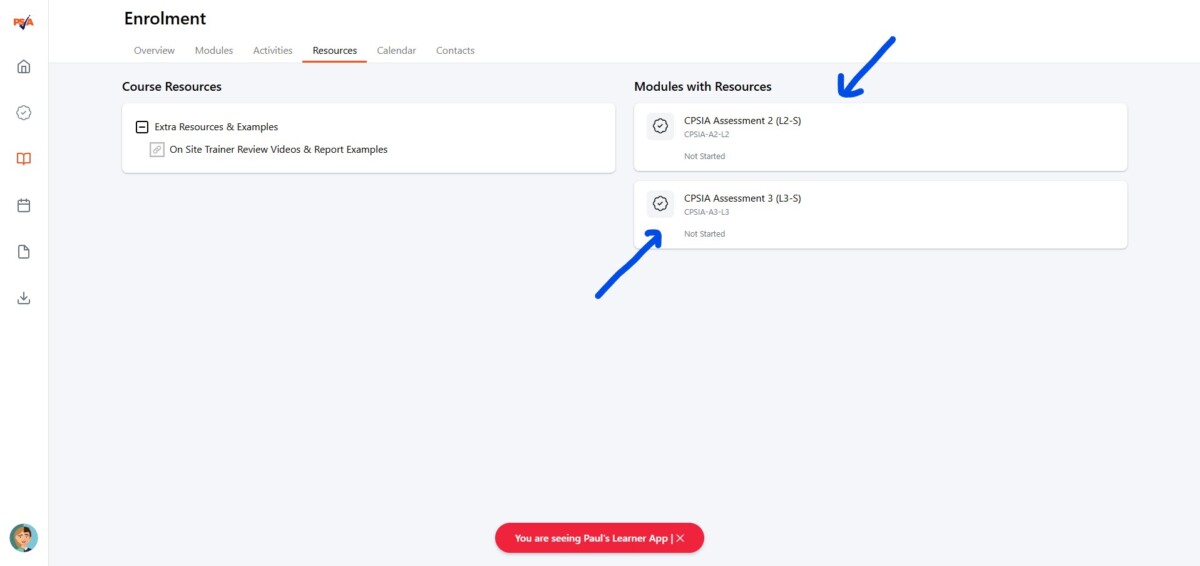
Step 2 — Click the Resources tab From your dashboard or home screen, click the Resources tab in the navigation menu.
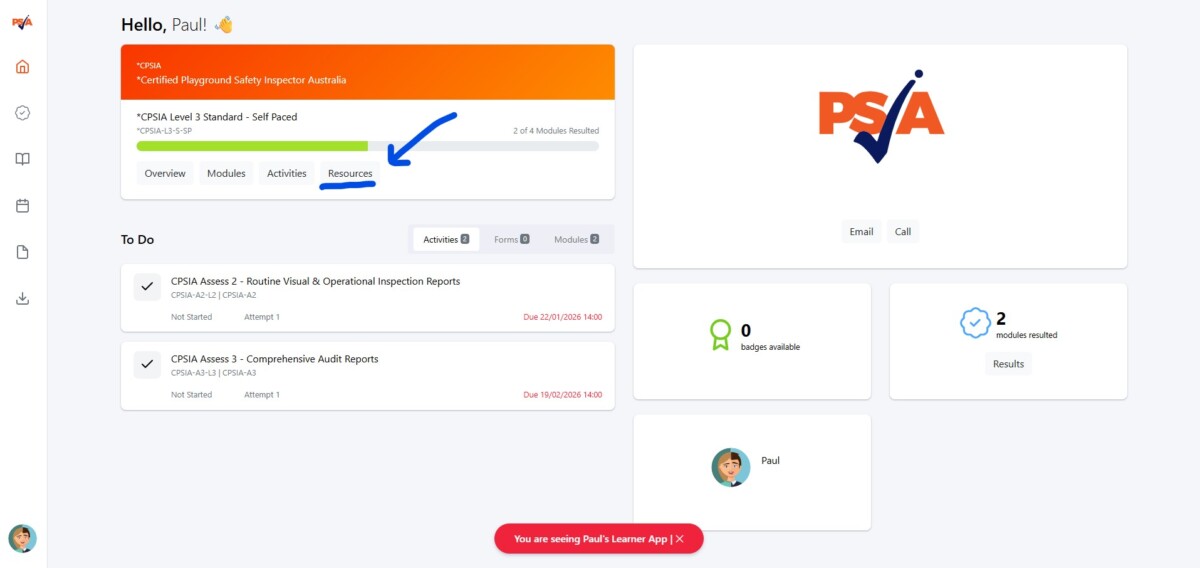
Step 3 — Select your assessment module Click on the module you are currently completing.
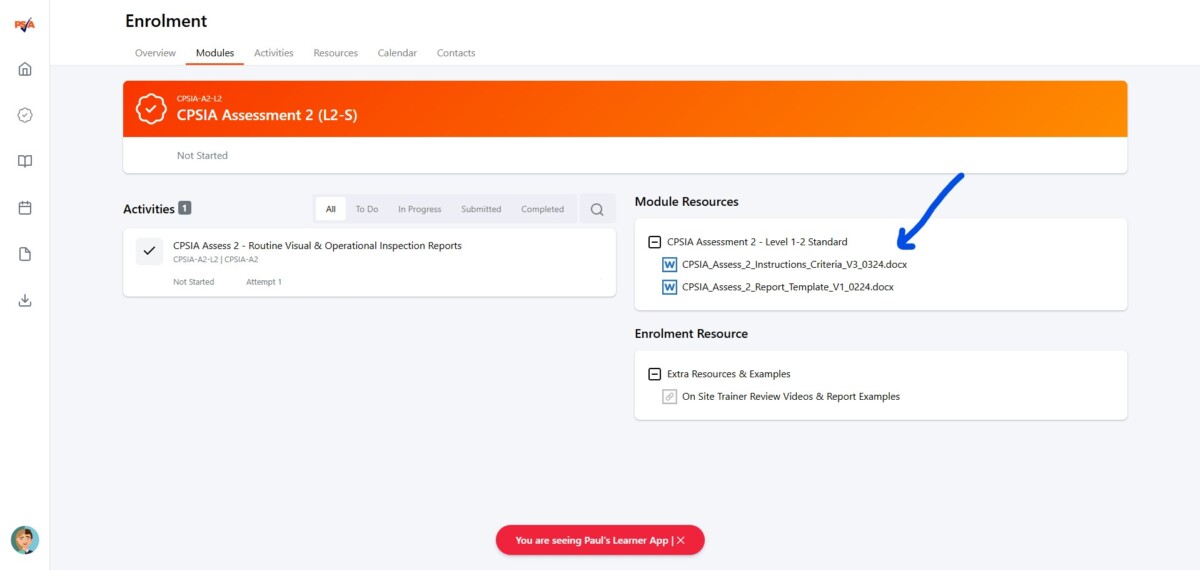
Step 4 — Open or download your documents Click the linked documents to open them in a new tab, or they will automatically download to your device.
Can’t find what you need? Here’s where to look:
- Matrix — at the back of the template Word doc, or in your manual at the end of the Risk chapter
- SWMS — in the Word doc template, towards the beginning
- Student examples — in the Playground Audit Manual chapter; Lynnel’s comprehensive reports are also a great reference for inspiration
Still stuck on Attempt 2? Get in touch and we can provide an additional student examples on tasks or a 1:1 trainer session to support your learning.
If you need the templates sent directly to you, or have any other questions, please reach out here – we’re happy to help!